

NVIDIA said on November 18, 2026 that compact RTX Spark desktops from ASUS, Dell, and MSI are available, with additional manufacturers expected later. Their small size and RTX graphics may make them look like an alternative to a conventional gaming desktop. They are better understood first as Windows computers built for local AI development and creative work. Whether one should replace a used gaming PC depends on the exact games, applications, and upgrade path you need.
What was announced, and what is shipping?
According to NVIDIA's launch post, compact desktops from ASUS, Dell, and MSI are available now. NVIDIA says systems from Acer, GIGABYTE, HP, and Microsoft are to follow. The distinction is important: a product family announcement does not mean every brand or configuration can be ordered in Canada today. A buyer should verify the specific model, Canadian availability, warranty, and return terms rather than treating the whole list as current inventory.
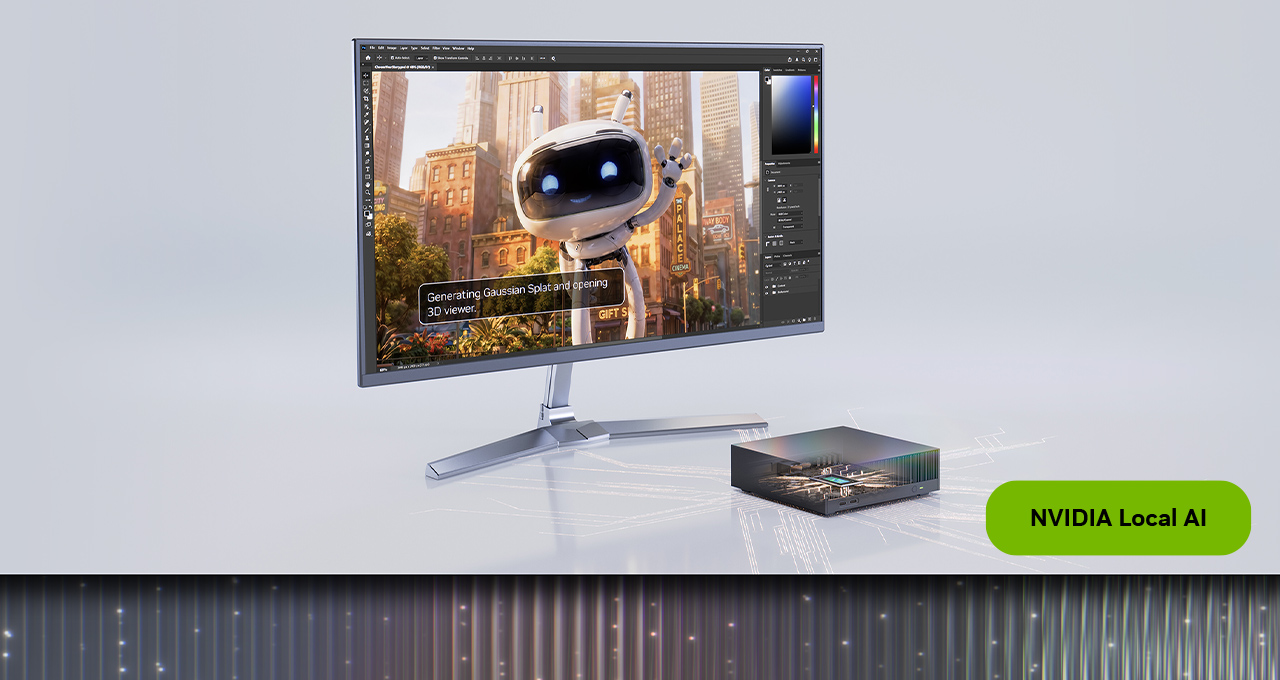
NVIDIA describes the platform as combining a 20-core Grace CPU with a Blackwell RTX GPU containing 6,144 CUDA cores and up to 128GB of unified memory. It quotes up to one petaflop of AI performance. Those are platform and AI-workload descriptions, not a gaming frame-rate result. The company highlights local AI agents, image and video generation, model fine-tuning, and creative software. It also points to native Windows-on-Arm applications and RTX-accelerated workflows on these devices.
The word "desktop" can suggest a familiar tower with replaceable graphics card, separate system RAM, and several drive bays. RTX Spark is a compact platform with a Grace processor and unified memory, so buyers should inspect the chosen manufacturer's service documentation before assuming it can be upgraded like a standard tower. NVIDIA's announcement does not establish a single upgrade policy for every ASUS, Dell, or MSI model.
Is RTX Spark a gaming computer?
NVIDIA does discuss gaming on RTX Spark, and its developer article on RTX Spark gaming technologies describes support paths for game developers. That does not mean every existing Windows game will run on the new desktops, or that the 6,144 CUDA-core figure can be directly compared with a GeForce card's gaming results. CPU architecture, drivers, game build, graphics settings, and the resolution of the monitor all affect the experience.
RTX Spark runs Windows on Arm. Microsoft's Windows Arm-based PC FAQ says many applications can run through emulation, but native Arm versions generally offer the best performance. It also warns that some games can fail when their anti-cheat drivers have not been built for Arm. Other peripherals and apps that depend on drivers need Arm-compatible versions. These are software compatibility questions, not problems that a powerful GPU specification alone can solve.
For a person with a short list of well-supported games and a primary interest in AI or content creation, Spark may be worth evaluating. For a person whose main purpose is to play an existing library, especially multiplayer titles with anti-cheat, a conventional x86 gaming PC offers a more familiar compatibility path. Check each important game's publisher support information, launcher, and peripherals before purchasing an Arm system. Do not infer compatibility from a game running on a different RTX-equipped PC.
Where unified memory helps, and where it does not answer the gaming question
Unified memory lets the processor and graphics hardware access a shared pool rather than using the separate system RAM and graphics-card VRAM layout found in many gaming PCs. NVIDIA emphasizes up to 128GB on RTX Spark because large local AI models and creative datasets can benefit from a sizable shared pool. That capacity may be useful for a specialist who currently runs out of dedicated graphics memory while working with local models.
It would be misleading to treat 128GB of unified memory as equivalent to a gaming card with 128GB of VRAM, or to assume that more memory always produces more game frames. Games also depend on graphics throughput, memory bandwidth, drivers, and optimization. Our VRAM guide for gamers explains why the memory requirement varies with the game, resolution, and settings. When comparing Spark to a used PC, use tests for the actual application rather than a memory number alone.
The same principle applies to NVIDIA's AI-performance figure. "Up to one petaflop" refers to a particular AI-compute measure under specified conditions; it is not a universal score for photo editing, 3D rendering, or gaming. It can tell you the platform is aimed at compute-heavy AI work, but it cannot predict whether a favourite game will run at 60 frames per second.
How do the two options compare for creative work?
Spark's intended audience becomes clearer when the workload is local model experimentation, image generation, video generation, or development using NVIDIA's software stack. NVIDIA says Windows-on-Arm versions of Adobe software, workflows in ComfyUI, and Blender features are expanding on the platform. That is a useful signal for a buyer who can name the exact tools they need. It is still worth checking version numbers, plug-ins, drivers, and whether a particular feature is shipping rather than previewed.
A used gaming PC with a conventional RTX graphics card can also perform many creative and AI tasks. Its advantage may be price, familiar Windows software compatibility, and the ability to change components, depending on the case and motherboard. Its limitation may be a smaller dedicated VRAM capacity or higher noise and power use for a specific workload. Neither category is automatically better for every creative project. If local AI is the main reason for buying, compare tested model sizes, memory needs, software support, and system price. If editing, gaming, and general use are the main reasons, compare those applications directly.
What should a Canadian buyer check before ordering?
- Confirm the exact product. NVIDIA's November 18 announcement names currently available manufacturers and others expected later. Check a specific Canadian listing rather than relying on US launch wording.
- List essential software and games. Verify Arm compatibility, required plug-ins, anti-cheat support, and any specialized drivers with the publishers or device makers.
- Compare measured performance. Look for independent testing of the exact Spark configuration against the games or creative tasks you run. AI-operation figures and CUDA-core counts do not replace workload tests.
- Inspect the complete cost. Include monitor, storage, peripherals, software subscriptions, and warranty. A compact computer is not necessarily a complete desk setup.
- Check future flexibility. Ask what storage can be expanded, what memory is fixed, and how repairs are handled for the particular model.
The practical answer
RTX Spark compact desktops are a new option for people who specifically need a small Windows-on-Arm machine for local AI and creative development, and some models are available as of NVIDIA's November 18 announcement. They are not a general replacement for every used gaming PC. A conventional gaming desktop remains the easier default for a buyer focused on an existing game library, known peripheral compatibility, and component upgrades. Spark becomes a stronger candidate when its unified memory, NVIDIA development tools, and compact form solve a workload you can identify and verify. Make the choice using real software support and measured results, not the label on the GPU.